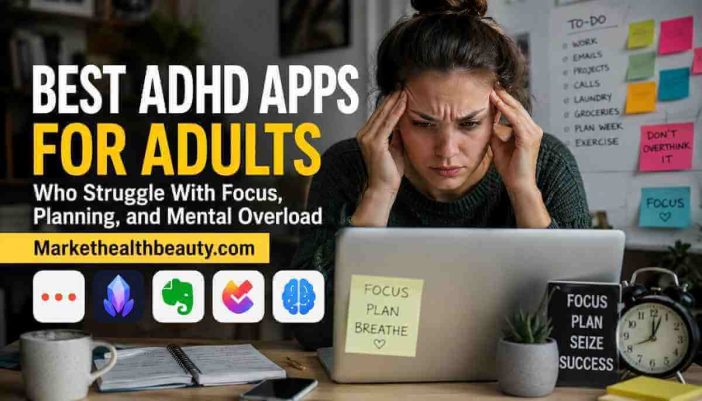
Many adults with ADHD do not struggle because they lack ambition. They struggle because daily systems collapse under cognitive overload. Missed reminders, unfinished tasks, forgotten deadlines, and fragmented attention slowly turn even simple routines into exhausting mental negotiations.
The right app cannot “fix” ADHD. But the wrong one can absolutely increase overwhelm. This guide focuses on tools that reduce executive friction instead of adding more digital noise.
A productivity system should help the brain conserve energy — not constantly demand more of it.
A calendar notification appears.
You dismiss it.
Five minutes later, you forget it existed.
Another task app promises organization. Another workspace promises clarity. Another habit tracker promises consistency. Soon, the system itself becomes another unfinished project.
This is one reason many ADHD adults abandon productivity apps repeatedly. The issue is not intelligence. It is often a mismatch between executive-function patterns and system design.
Some tools require heavy maintenance. Others depend on perfect consistency. Many create excessive cognitive switching.
The best ADHD apps reduce friction:
- fewer decisions,
- less visual chaos,
- lower activation energy,
- stronger external structure.
That distinction matters more than feature count.
What Makes an App Helpful for ADHD Adults?
The best ADHD apps usually support one or more executive-function challenges:
| Executive Challenge | Helpful System Feature |
|---|---|
| Time blindness | Visual scheduling |
| Task paralysis | Low-friction task capture |
| Forgetfulness | Persistent reminders |
| Mental overload | Reduced interface clutter |
| Focus instability | Distraction blocking |
| Routine inconsistency | Automation and recurring systems |
An app becomes harmful when:
- setup complexity is too high,
- notifications become noise,
- maintenance exceeds usefulness,
- or the system requires constant manual organization.
ADHD adults often perform better with systems that feel lightweight rather than “productive.”
Best ADHD Apps by Executive Function Problem
Apps for Task Paralysis
Task paralysis happens when:
- tasks feel too large,
- unclear,
- or mentally expensive to start.
The most effective apps reduce activation friction.
Todoist
Best for: lightweight task management
Why it works:
- fast task entry,
- minimal visual clutter,
- natural language scheduling,
- recurring task simplicity.
Many ADHD adults abandon overly complex project systems. Todoist works because it removes unnecessary setup.
Potential downside:
- advanced organization can still become excessive if overbuilt.
TickTick
Best for: ADHD adults needing structure + timer integration
Useful features:
- Pomodoro timer,
- calendar view,
- habit tracking,
- recurring reminders.
The strength of TickTick is consolidation. Instead of using five separate systems, users can centralize routines into one interface.
Apps for Time Blindness
Time blindness is one of the most disruptive ADHD patterns in adulthood.
People often:
- underestimate duration,
- lose track of transitions,
- or hyperfocus past deadlines.
Motion
Best for: automated scheduling
Motion dynamically rearranges tasks based on available time blocks.
Why this matters:
Many ADHD adults struggle not with task knowledge — but with sequencing and time allocation.
Motion reduces planning fatigue by automating:
- scheduling,
- reprioritization,
- and deadline management.
Potential downside:
- higher learning curve,
- subscription cost may be excessive for casual users.
Sunsama
Best for: intentional daily planning
Unlike aggressive productivity systems, Sunsama slows planning down.
This can help ADHD adults:
- reduce overload,
- estimate realistic capacity,
- and avoid overcommitting.
The daily planning ritual is its biggest advantage.
Apps for Focus and Distraction Control
Some ADHD adults do not need better planning.
They need fewer interruptions.
Freedom
Best for: distraction blocking across devices
Freedom blocks:
- social media,
- websites,
- apps,
- and notifications.
The benefit is environmental control.
Executive-function research consistently shows:
reducing friction and distraction is often more effective than relying on willpower.
Brain.fm
Best for: auditory focus support
Brain.fm uses structured soundscapes designed to improve sustained attention.
Some ADHD adults report:
- easier task initiation,
- reduced mental wandering,
- longer deep-work sessions.
Results vary by individual, but many users prefer structured audio over silence.
Apps for Mental Overload and Information Chaos
ADHD adults frequently experience:
- idea fragmentation,
- unfinished note systems,
- and digital clutter accumulation.
Notion
Best for: customizable external brain systems
Notion can become:
- a dashboard,
- knowledge base,
- planner,
- and project manager.
But there is a warning here.
For ADHD users, Notion can either:
- become transformative,
- or become another hyperfocus trap.
The key is simplicity.
The most sustainable ADHD Notion systems usually contain:
- minimal databases,
- low visual complexity,
- and fast capture workflows.
Obsidian
Best for: nonlinear thinking and knowledge linking
Obsidian works well for:
- researchers,
- writers,
- strategists,
- and idea-heavy professionals.
Its linking system mirrors associative thinking patterns many ADHD adults naturally use.
However:
the learning curve is not ideal for everyone.
Apps for Habit and Routine Stability
ADHD often affects consistency more than motivation.
Routinery
Best for: structured routines
Routinery guides users through routines step-by-step.
This reduces:
- transition fatigue,
- forgotten steps,
- and morning/evening chaos.
Instead of relying on memory, routines become externally scaffolded.
Streaks
Best for: simple habit maintenance
Many habit apps fail ADHD users because:
- tracking becomes overwhelming,
- dashboards become cluttered,
- and streak anxiety increases stress.
Streaks works best when limited to a few meaningful routines.
The Biggest Mistake ADHD Adults Make With Productivity Apps
Most people search for:
- the perfect app,
- the perfect workflow,
- or the perfect productivity system.
That mindset often fails.
The real goal is:
reducing executive friction.
A sustainable ADHD system usually has:
- fewer apps,
- fewer inputs,
- fewer decisions,
- and stronger automation.
Complex systems create maintenance fatigue.
Maintenance fatigue kills consistency.
A Practical ADHD Productivity Framework
Before downloading another productivity app, ask:
1. What problem am I actually solving?
Examples:
- forgetting tasks,
- poor transitions,
- distraction,
- overwhelm,
- time blindness.
2. Does this app reduce or increase decisions?
Good systems reduce cognitive negotiation.
3. Can I maintain this system during stressful weeks?
Most productivity systems collapse during overload.
That is the real test.
4. Does the app require constant customization?
Excessive setup often becomes procrastination disguised as productivity.
ADHD Productivity Is Not About Becoming Hyper-Organized
This is where many productivity articles fail.
The objective is not:
- perfect organization,
- extreme discipline,
- or aesthetic workflows.
The objective is:
- cognitive sustainability,
- reliable execution,
- and reduced mental exhaustion.
For many adults, ADHD management is less about “trying harder” and more about building systems that support executive function over decades. Our guide on ADHD management strategies for long-term brain performance explores this broader framework in detail.
Some productivity struggles also begin much earlier than adulthood. In our article on early ADHD signs and long-term cognitive development, we explain how executive-function patterns can develop across childhood and continue into adult work performance.
Not all executive-function difficulties stem from the same neurodevelopmental profile. Our comparison of ADHD vs autism differences explains why attention instability and structured-processing patterns often require different support approaches.
Gender patterns matter too. Many women with ADHD develop silent overcompensation systems that mask executive strain for years. The article on ADHD in girls and hidden executive function patterns explores this overlooked pattern further.
When Apps Are Not Enough
Apps can support executive systems.
They cannot replace:
- sleep stability,
- behavioral therapy,
- medication management,
- structured routines,
- stress regulation,
- or professional support.
If productivity struggles significantly affect:
- employment,
- finances,
- relationships,
- or emotional wellbeing,
professional evaluation may be appropriate.
A tool should support brain health — not become another source of pressure.
FAQ
Do ADHD apps actually help adults?
They can help when matched correctly to executive-function problems. Apps are most effective when they reduce friction, simplify routines, and externalize memory or planning demands.
What is the best ADHD productivity app overall?
There is no universal “best” app. Different tools support different challenges such as distraction control, task initiation, or time blindness. Simpler systems are often more sustainable for ADHD adults.
Can productivity apps replace ADHD treatment?
No. Productivity apps may support organization and focus, but they are not substitutes for professional care, behavioral therapy, or medical evaluation when needed.
Building a System That Your Brain Can Actually Sustain
Many ADHD adults spend years believing they simply lack discipline.
Often, the real issue is system mismatch.
The best productivity systems are not the most sophisticated ones. They are the systems that remain usable during stress, fatigue, distractions, and imperfect weeks.
A sustainable ADHD workflow should reduce mental load — not become another unfinished obligation.
That is the difference between productivity theater and genuine executive support.
Reference
- CDC ADHD adult guidance
- National Institute of Mental Health executive function research
- CHADD adult ADHD resources